
-
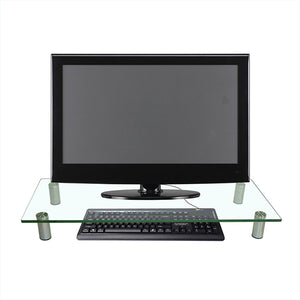
TVB-27 Monitor raiser tempered glass
Normaler Preis €29,95Normaler Preis -
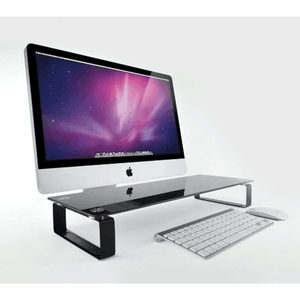

TVB-41 Monitor riser Black Tempered Glass
Normaler Preis €34,95Normaler Preis -
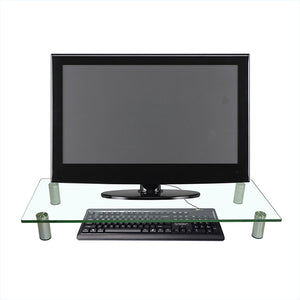
TVB-42 Monitor riser Tempered Glass (high model)
Normaler Preis €29,95Normaler Preis -
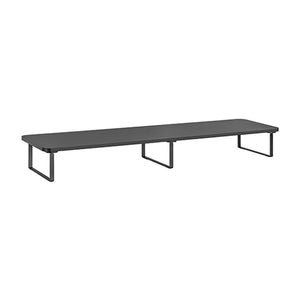
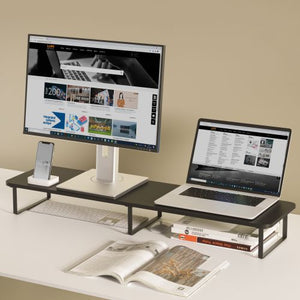
TVB-83 Quick-Installation Monitor/Laptop Riser
Normaler Preis €44,95Normaler Preis

Wolff Mount monitor risers create an elevated surface for a compatible display or other equipment. They can also provide usable space beneath the platform. Choose a riser that fits your desk, the device’s original base and the equipment you intend to place on it.
Check the platform and desk
Raise your display and organise your desk
Platform size
Measure the monitor’s base and compare it with the riser’s usable top surface. The support must remain fully stable on the platform.
Height and clearance
Compare the stated riser height and the space underneath. Make sure a keyboard or accessory will actually fit before planning storage there.
Material and load
Check the model’s material and load limit. Glass and metal platforms must be handled and used according to their own instructions.
Before you order
Place the riser on a level, stable surface. Allow space for cables and avoid placing equipment where it overhangs or blocks ventilation. Raising a screen can help position it, but the correct viewing height depends on your seating and individual workspace.
Choose a platform for the original monitor base
A monitor riser supports the display on its existing foot. Compare the shape and dimensions of that foot with the usable top surface, not just the monitor’s screen diagonal. Check that all contact points sit securely on the platform. If you plan to place a laptop, printer or other device on the riser, compare its own dimensions and weight with the stated capacity and intended use.
Plan your desk layout
Measure the space behind and beside the platform for cables and other equipment. If you want to store a keyboard beneath it, compare the keyboard width and height with the actual opening. Allow room to slide the keyboard out comfortably. Raising the display changes its position relative to your chair, so consider the resulting screen height and viewing distance before ordering a particular platform.
Use the available surface carefully
Keep the supported load within the product specification and distribute equipment as instructed. Avoid resting a device on an edge or leaving part of its base unsupported. Cable tension can disturb a small desk setup, so provide a relaxed route to the sockets. Check the platform and its feet after assembly and place it on a level surface. Keep glass platforms clear of impacts and follow the model’s handling guidance.
Common question
Is a riser a VESA monitor arm? No. A riser supports equipment on a platform; a monitor arm attaches to a compatible mounting pattern. See our Monitor Mounts collection for arms.
Need a second check? contact Wolff Mount with your device model, measurements and installation details.